
By PortableMonitor Editorial Team ·
Best Portable Monitors for Developers in India (2026)
A spec-based shortlist of five portable monitors for coding in India, from a ₹9,999 budget pick to a 22-inch 2K touchscreen, with the trade-offs of each.
Disclosure: as an Amazon Associate we earn from qualifying purchases made through links on this page. This guide is based on manufacturer specifications, Amazon.in listings and owner reviews. Prices change, so check the live price before you buy. How we research.
The best portable monitor for developers in India is a 15.6 to 22 inch screen with sharp text, a USB-C port that carries video and power, and a weight you can live with in a backpack. We compared specs, listing details and owner reviews for every portable monitor in our database and narrowed the list to five that make sense for coding.
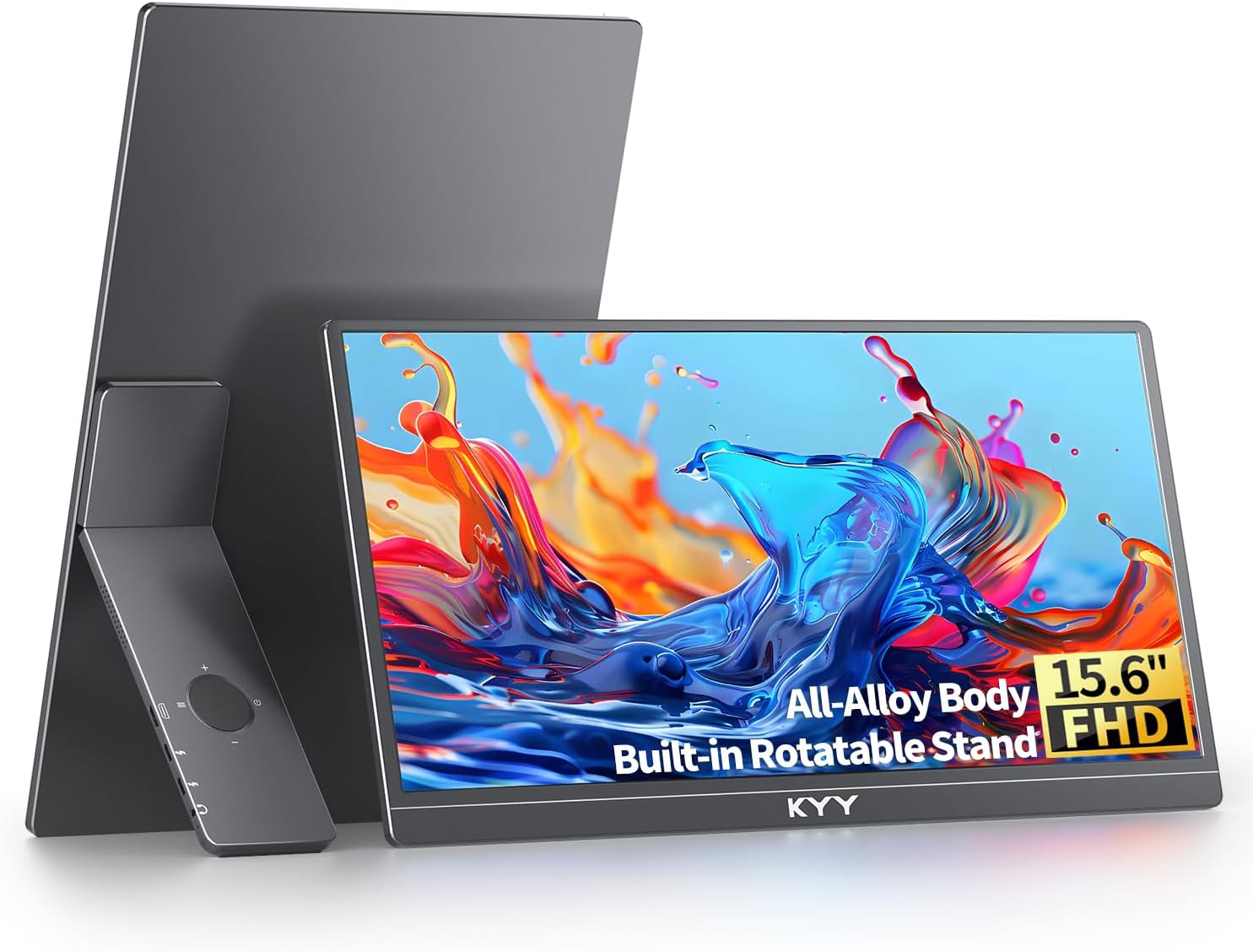
Quick answer: The KYY 15.6" FHD USB-C HDMI is the best all-round pick at around ₹16,227 at the time of writing, with a 4.8 rating from 890 reviews. If you work mostly at a desk and want the sharpest text, the UPERFECT 22" 2K Touch 180° is the one to look at. Amazon.in prices change often, so use the product pages for the live price.
What developers should look for in a portable monitor
Gaming features such as refresh rate matter much less for coding. These are the specs that do.
Pixel density and text clarity
Text sharpness depends on pixels per inch, not on resolution alone. A 15.6 inch Full HD panel works out to roughly 141 PPI. A 22 inch 2560x1440 panel is about 134 PPI, so it looks similarly crisp while giving you far more room. A 24 inch Full HD panel drops to about 92 PPI, and small fonts look visibly softer.
Size and weight
Every 15.6 inch monitor in our list weighs between 0.6 and 0.8 kg, which fits next to a laptop. The 22 inch model is 1.5 kg and the 24 inch model is 1.8 kg, so those are desk monitors that you can move, not travel companions.
Ports and power
All five picks have a USB-C port with power delivery according to the data we have, and most also have a mini HDMI port. One USB-C cable carrying video and power is the cleanest setup, but your laptop's port must support DisplayPort Alt Mode (video over USB-C). Our guide on how to connect a portable monitor to a laptop covers cables and port checks.
Brightness and stand
Most of these panels are rated at 300 to 350 nits. That is fine indoors but weak near a sunny window. If you want a monitor you can stand in portrait mode for reading long files, look for a VESA mount, because the folding cover stands that ship with slim monitors are usually landscape only.
The five best portable monitors for coding
| Monitor | Size | Resolution | Weight | Price (approx.) | Rating |
|---|---|---|---|---|---|
| KYY 15.6" FHD USB-C HDMI | 15.6" | 1920x1080 | 0.75 kg | ₹16,227 | 4.8 (890) |
| UPERFECT 22" 2K Touch 180° | 22" | 2560x1440 | 1.5 kg | ₹67,821 | 4.9 (95) |
| ARZOPA 17.3" FHD 103% sRGB | 17.3" | 1920x1080 | 0.73 kg | ₹16,990 | 4.3 (980) |
| MSI PRO MP161 15.6" FHD | 15.6" | 1920x1080 | 0.6 kg | ₹9,999 | 4.6 (340) |
| UPERFECT 24" 100Hz VESA | 24" | 1920x1080 | 1.8 kg | ₹42,320 | 4.7 (210) |
Ratings show the average and the review count in brackets, as listed on Amazon.in at the time of writing.
1. KYY 15.6" FHD USB-C HDMI: best for most developers
The KYY 15.6" FHD USB-C HDMI is a slim 0.75 kg IPS panel with USB-C, mini HDMI and built-in speakers. It has the second-highest review count of the group and a 4.8 rating, which is a good sign for a product at around ₹16,227. Buyers also report that it works with phones and consoles.
The downsides are a 60 Hz refresh rate (irrelevant for code) and no VESA mount, so you rely on the included stand. If you want something cheaper, the ARZOPA 15.6" FHD USB-C is around ₹12,990 with the same panel size and resolution, though its rating is lower at 4.3.
2. UPERFECT 22" 2K Touch 180°: best for sharp text and screen space
The UPERFECT 22" 2K Touch 180° has a 2560x1440 IPS panel, a VESA mount and an adjustable stand that folds out to 180°. It has a 4.9 rating (tied for the highest in our database), though from only 95 reviews. At around ₹67,821 it is also the second most expensive portable monitor we list. You get a lot of vertical room for diffs, logs and long files.
It weighs 1.5 kg and is 60 Hz only. The touch layer is of little use for coding, so you are paying for it unless you also present or sketch. This is for a home desk or a fixed office setup, not for a daily commute.
3. ARZOPA 17.3" FHD 103% sRGB: best large screen you can still carry
The ARZOPA 17.3" FHD 103% sRGB weighs just 0.73 kg, about the same as the 15.6 inch models, yet gives you a bigger canvas. It is around ₹16,990, supports HDR and covers 103% sRGB. About 127 PPI is slightly less sharp than a 15.6 inch panel, but fine for normal coding fonts.
The 4.3 rating from 980 reviews is the lowest in this group, so read recent reviews on Amazon.in before buying. It is 60 Hz only and has no VESA mount.
4. MSI PRO MP161 15.6" FHD: best budget pick
The MSI PRO MP161 15.6" FHD is the cheapest option here at around ₹9,999 and the lightest at 0.6 kg. It has USB-C, mini HDMI and a foldable kickstand, with a 4.6 rating from 340 reviews.
The trade-off is brightness: 250 nits is the lowest in the list, and you will notice it in a bright room. It is also 60 Hz only. For a developer who works indoors and wants the cheapest sensible second screen, it is a reasonable starting point. See more affordable options in our budget portable monitors category.
5. UPERFECT 24" 100Hz VESA: best for a permanent desk setup
The UPERFECT 24" 100Hz VESA is a 24 inch Full HD panel with a 100 Hz refresh rate, VESA mount and a 180° stand, at around ₹42,320. The 100 Hz refresh makes scrolling and cursor movement smoother, and it will also suit gaming after work.
At 1.8 kg it is the heaviest, and Full HD over 24 inches means lower pixel density, so text is less sharp than on the 22 inch 2K model. If your budget allows only one of the two UPERFECT screens, the 2K model suits code better. You can compare them directly on the UPERFECT 22" vs 24" comparison page.
Which one should you choose?
- Carrying a laptop to a cafe or co-working space: KYY 15.6" or MSI PRO MP161. Both are under 0.8 kg.
- Desk-based and text-heavy work (logs, diffs, long files): UPERFECT 22" 2K.
- You want a larger screen without extra weight: ARZOPA 17.3".
- Standing desk or monitor arm: UPERFECT 22" or 24", the two picks here with VESA mounts.
- Lowest cost: MSI PRO MP161, then the ARZOPA 15.6" FHD USB-C.
If you want a larger setup with several screens, read our triple-screen laptop setup guide. Mac users should also check the best portable monitors for MacBook because macOS scaling affects how Full HD panels look. For a wider view of the field, browse portable monitors for coding.
Setting up a second screen for coding
Put the editor on the laptop or the portable screen, whichever is closer to eye level, and keep documentation, a terminal or a running app on the other. Many developers prefer the larger or sharper screen for the editor and the second one for output. Raise the laptop on a stand if you can, so both screens sit at a similar height and you are not looking down at one and straight at the other.
On Windows and most Linux desktops, set the display scaling per screen so fonts on the portable monitor match those on the laptop. Lower the brightness on both in the evening, and use a dark editor theme if you are on an IPS panel with 250 to 300 nits, which can feel bright at night. If you plan to use the monitor in portrait mode, a VESA mount and a small monitor arm give you more freedom than any fold-out stand.
Mistakes to avoid
Check that your laptop's USB-C port supports video output before ordering. Many budget Windows laptops have USB-C ports that only charge or transfer data, and in that case you need the HDMI route. Do not buy a Full HD screen above 17 inches if text sharpness is your main goal. And do not pay for touch or high refresh rate unless you will use them.
Finally, treat our list as a spec-based shortlist. We have not measured these panels ourselves, so check the latest owner reviews on the product pages for build quality and cable issues.