
By PortableMonitor Editorial Team ·
Best Portable Monitors for PS5, Switch and Steam Deck in India (2026)
A portable monitor for PS5, Switch or Steam Deck in India starts around ₹11,999. Five picks, what each console needs, and the 60Hz limits you should know.
Disclosure: as an Amazon Associate we earn from qualifying purchases made through links on this page. This guide is based on manufacturer specifications, Amazon.in listings and owner reviews. Prices change, so check the live price before you buy. How we research.
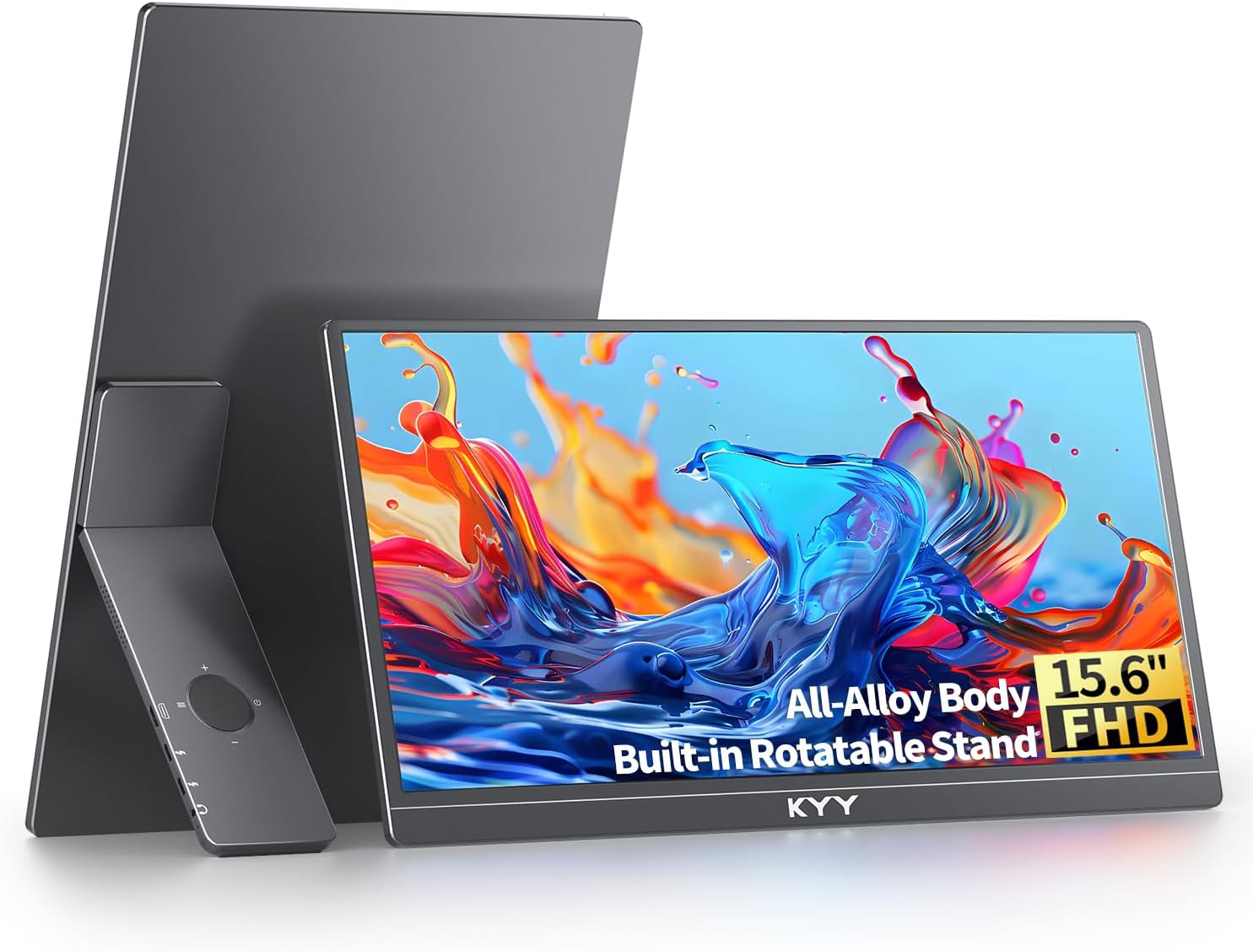
A portable monitor for PS5, Switch and Steam Deck in India costs from around ₹11,999 for a basic Full HD model to over ₹40,000 for a 24 inch 100 Hz screen. Almost all of them are 60 Hz, which is fine for the Switch and Steam Deck and limiting for the PS5's 120 fps modes. We compared specs, listing details and owner reviews to find five that make sense.
Quick answer: The KYY 15.6" FHD USB-C HDMI is the best all-round pick at around ₹16,227 at the time of writing, with a 4.8 rating from 890 reviews and a listing that names consoles and phones. If you want the cheapest gaming-labelled option, the ARZOPA G1 Game 15.6" FHD is around ₹11,999. Amazon.in prices change, so check the product pages for current figures.
What matters in a console portable monitor
Refresh rate is the weak spot
Among the portable monitors in our database, only the UPERFECT 24" runs above 60 Hz (at 100 Hz). The rest are 60 Hz. The Switch and Steam Deck do not need more. The PS5 can output 120 fps in some games, and a 60 Hz panel will not show that. Whether a 100 Hz panel runs at 100 Hz with a PS5 is not something we can confirm from specs alone, so check recent owner reviews.
Ports: HDMI for consoles, USB-C for handhelds
The PS5 and the docked Switch use HDMI. The Steam Deck can use USB-C. All five picks list both USB-C and mini HDMI. Mini HDMI needs a matching cable, so check what the box includes. Our USB-C vs HDMI guide explains when each is better.
Power
A console is mains powered, so you can feed the monitor from a wall adapter. Handhelds are different, because powering a monitor from the Steam Deck's port drains its battery. Plan to run the monitor from its own adapter or a power bank.
Size and weight
A 15.6 inch screen weighs 0.7 to 0.8 kg and travels easily. The 17.3 inch ARZOPA is also 0.73 kg. The 24 inch UPERFECT weighs 1.8 kg, so it is for a desk.
How each device connects
PS5
Connect the PS5's HDMI port to the monitor's HDMI input with an HDMI to mini HDMI cable, and power the monitor from a USB adapter. The PS5 has no USB-C video output, so USB-C is not an option. Set the PS5 output to 1080p if it picks a higher resolution automatically.
Nintendo Switch
Keep the Switch in its dock, run HDMI from the dock to the monitor, and power the monitor separately. A Switch Lite cannot output video. Plugging a monitor straight into a handheld Switch generally does not work, because the Switch outputs video through its dock.
Steam Deck
Connect the monitor's USB-C video port to the Deck's USB-C port. The Deck can output video over USB-C, but you will want the monitor on its own power. If the picture does not show up, see our fix guide for portable monitors that are not detected.
The five best portable monitors for consoles
| Monitor | Size | Refresh | Weight | Price (approx.) | Rating |
|---|---|---|---|---|---|
| KYY 15.6" FHD USB-C HDMI | 15.6" | 60 Hz | 0.75 kg | ₹16,227 | 4.8 (890) |
| ARZOPA G1 Game 15.6" FHD | 15.6" | 60 Hz | 0.72 kg | ₹11,999 | 4.2 (1,560) |
| ARZOPA 17.3" FHD 103% sRGB | 17.3" | 60 Hz | 0.73 kg | ₹16,990 | 4.3 (980) |
| Upperizon 15.6" FHD HDR IPS | 15.6" | 60 Hz | 0.8 kg | ₹22,184 | 4.8 (520) |
| UPERFECT 24" 100Hz VESA | 24" | 100 Hz | 1.8 kg | ₹42,320 | 4.7 (210) |
1. KYY 15.6" FHD USB-C HDMI: best all-round
The KYY 15.6" FHD USB-C HDMI has a slim 0.75 kg body, USB-C, mini HDMI and built-in speakers. The listing says it works with phones and consoles, and its rating is strong for the price. It is a good fit if you want one screen for a PS5 at home and a Steam Deck on the move.
The limits are 60 Hz and no VESA mount, so you rely on its stand.
2. ARZOPA G1 Game 15.6" FHD: cheapest gaming-labelled option
The ARZOPA G1 Game 15.6" FHD costs around ₹11,999 and weighs 0.72 kg. It lists compatibility with laptops, consoles and phones, and has one of the largest review bases in our database (1,560 reviews), though the 4.2 rating is lower than the others here.
Be realistic about the name. The listing's own weaknesses are 60 Hz only, which it calls not true gaming, and a basic stand. If you want to compare it with the KYY, see the ARZOPA G1 Game vs KYY 15.6" comparison.
3. ARZOPA 17.3" FHD 103% sRGB: best bigger screen
The ARZOPA 17.3" FHD 103% sRGB lists PS5 and Xbox compatibility and adds HDR support, for around ₹16,990. The extra 1.7 inches over a 15.6 inch screen helps for couch play, and it still weighs only 0.73 kg. The 4.3 rating from 980 reviews is middling. HDR at 300 nits is limited, so treat it as a bonus.
It is 60 Hz only and has no VESA mount.
4. Upperizon 15.6" FHD HDR IPS: best mid-range with a mount
The Upperizon 15.6" FHD HDR IPS lists compatibility with Xbox, PS4 and PS5 along with laptops and MacBooks. It has HDR, built-in speakers, a VESA mount and a 4.8 rating from 520 reviews, at around ₹22,184.
It costs more than the KYY for broadly the same 60 Hz Full HD panel. The VESA mount and HDR are the reasons to pay extra.
5. UPERFECT 24" 100Hz VESA: best for refresh rate and screen size
The UPERFECT 24" 100Hz VESA is the only monitor here above 60 Hz. It has a 4 ms response time, a VESA mount and a 180° adjustable stand, and it is rated 4.7 from 210 reviews. At around ₹42,320 it is the most expensive pick.
At 1.8 kg it is a desk monitor, not a travel one. It is also a 1080p panel stretched across 24 inches, so sharpness is lower than on a 15.6 inch Full HD screen. For a permanent setup next to a console, it is the better fit. You can see the entire gaming portable monitor category too.
Settings worth checking
Resolution. Set consoles to 1080p, which is the native resolution of every pick here. A higher output gets downscaled and does not add detail.
HDR. Leave HDR off unless the monitor lists it and you actually prefer the look. With 300 nit panels the gain is small, and a wrong HDR setting can wash out colours.
Audio. Built-in speakers are fine for casual play. For competitive or late-night sessions, use headphones plugged into the console or controller, because the speaker quality on slim monitors is basic.
Game mode. If the monitor's menu has a low-latency or game mode, switch it on. Our spec data lists response times of 4 to 5 ms for the models here, which suits casual and single-player games.
Handheld and console tips
If you play on a Steam Deck at a desk, a monitor with a VESA mount or a firm stand keeps the screen steady while the Deck sits beside it. A 17 inch screen is comfortable for a couch session, but you will need a stable surface because slim stands tip easily on soft cushions. Keep spare cables in the bag, since a missing mini HDMI lead is the most common reason a console setup fails on day one.
Which one should you buy?
- PS5 or Switch at home plus a handheld on trips: KYY 15.6".
- Smallest budget: ARZOPA G1 Game 15.6".
- Couch gaming on a bigger screen: ARZOPA 17.3".
- VESA mount or HDR on a mid budget: Upperizon 15.6".
- Desk setup and highest refresh: UPERFECT 24" 100Hz.
If your budget is under ₹15,000, our list of the best portable monitors under ₹15,000 has more choices. For a general ranking, see the best portable monitors in India.
What to expect and what not to
A portable monitor will not match a gaming monitor for refresh rate or contrast. These are 60 Hz IPS panels, with brightness around 250 to 350 nits. They are good for playing a console in a dorm, a hotel room or a second room, and for handhelds at a desk. If you mostly want image quality and speed, a regular gaming monitor is a better purchase.
This guide compares specs and listings and does not reflect hands-on testing. Read recent buyer reviews on the product pages for console-specific cable and compatibility notes before ordering.