
By PortableMonitor Editorial Team ·
MSI PRO MP161 vs MP161 E2: Differences and Which to Buy
The MSI PRO MP161 and MP161 E2 are not like-for-like. One is a 0.6 kg USB-C travel monitor, the other a 100Hz VESA model whose listing details conflict. Read before buying.
Disclosure: as an Amazon Associate we earn from qualifying purchases made through links on this page. This guide is based on manufacturer specifications, Amazon.in listings and owner reviews. Prices change, so check the live price before you buy. How we research.
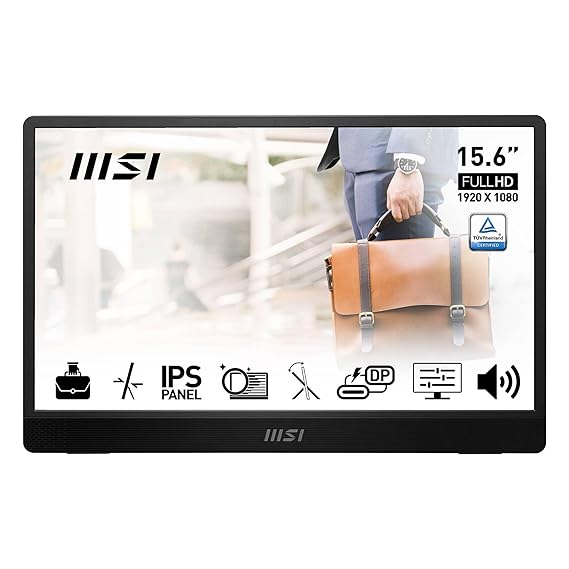
The MSI PRO MP161 vs MP161 E2 comparison has a catch: the two models are not like-for-like, and the E2's listing data contradicts itself. The MSI PRO MP161 15.6" FHD is a clear 0.6 kg USB-C travel monitor at around ₹9,999. The MSI PRO MP161 E2 15.6" FHD is around ₹10,999 and shows 100Hz and VESA support, but the data we hold on its ports and size is unreliable. Prices are at the time of writing, and Amazon prices change, so use the product pages for live figures.
Short version: if you want a portable monitor for a laptop, buy the MP161. Consider the E2 only after you confirm its size and ports on the live listing.
Specs side by side
| Spec | MSI PRO MP161 15.6" FHD | MSI PRO MP161 E2 15.6" FHD |
|---|---|---|
| Price (approx.) | ₹9,999 | ₹10,999 |
| Rating | 4.6 (340 reviews) | 4.3 (520 reviews) |
| Resolution | 1920x1080 | 1920x1080 |
| Panel | IPS | IPS |
| Refresh rate | 60Hz | 100Hz (see note) |
| Response time | 5 ms | 1 ms |
| Brightness | 250 nits | 250 nits |
| Weight | 0.6 kg | 0.75 kg |
| USB-C PD | Yes | No (see note) |
| Mini HDMI | Yes | No (see note) |
| VESA mount | No | Yes |
| Speakers | Yes | Yes |
| Touch | No | No |
The E2 data conflict. The structured specs we hold for the E2 show 100Hz, no USB-C and no mini HDMI. One listed drawback says "Not portable (23.8")", yet the listing description says "60Hz", "mini-HDMI and dual USB-C". These cannot all be right. It may mean the Amazon page covers more than one product variant, or that the description was reused from the MP161. We cannot tell which. Treat every E2 cell marked "see note" as unconfirmed.
The full table is on the MP161 vs MP161 E2 spec comparison page.
The MSI PRO MP161: simple and light
The MP161 listing is consistent, and the product is a typical budget travel monitor:
- 15.6 inch 1080p IPS, 60Hz, 250 nits
- USB-C and mini HDMI, with built-in speakers
- 0.6 kg, with a foldable kickstand
- Around ₹9,999, rated 4.6 across 340 reviews
Its listed pros are the price and the MSI brand. Its listed cons are the 250 nits of brightness, which is on the dim side next to the 300 nits common in this category, and 60Hz only. There is no VESA mount.
At under ₹10,000, it is one of the cheapest options we track. See the portable monitors under ₹10,000 category for the others. For a wider range of budgets, our guide to the best portable monitors under ₹15,000 compares similar models.
The MSI PRO MP161 E2: promising specs, unclear product
What attracts buyers to the E2 is clear from the pros we hold: 100Hz refresh rate, 1 ms response time and VESA mounting. Those are useful for a desk monitor that you want to feel smoother when scrolling or playing games, and uncommon at around ₹10,999.
The problem is the cons, which describe a different kind of product:
- "Not portable (23.8")": a 23.8 inch screen is not something you carry in a laptop bag, and it contradicts the 15.6 inch size in the title and the 0.75 kg weight.
- "No USB-C": a monitor without USB-C cannot run off a single cable from most modern laptops. You would need HDMI, and the structured data lists no mini HDMI either.
If the E2 is in fact a larger desk monitor, then it is not a portable monitor and should not be compared to the MP161 as a travel option. If it is a 15.6 inch model with the ports the description mentions, then the cons are wrong. Open the Amazon listing, read the exact title, the dimensions and the connectivity table, and look at recent reviews for mentions of size and ports. Our guide to USB-C vs HDMI portable monitors explains why the port type matters.
It is rated 4.3 across 520 reviews, a lower score than the MP161's 4.6.
If you want a cheap USB-C monitor with no guesswork
Other budget monitors in our list have consistent data. The ARZOPA 14" FHD Ultra Slim is around ₹10,999, weighs 0.5 kg and has USB-C and mini HDMI, but only 250 nits and a 4.1 rating. The ARZOPA G1 Game 15.6" FHD is around ₹11,999 and has the most reviews in our database (1,560), but its rating is 4.2, and it is 60Hz despite the name. Neither offers 100Hz. If a higher refresh rate in a portable monitor is your priority, our database has only one more option: the UPERFECT 24" 100Hz VESA, which is much larger and costs around ₹42,320.
Power and connection checks
If you buy either model and the screen stays black, the cause is usually the cable, port or power rather than the monitor. Check that your laptop's USB-C port supports video output and can supply enough power (see do portable monitors need external power). If you see "no signal", our not detected and no signal fixes guide walks through the usual causes.
Choose the MSI PRO MP161 if
- You want a monitor to travel with, at 0.6 kg.
- You want a one-cable USB-C setup with a laptop or compatible phone.
- Your budget is under ₹10,000.
- You want the better-rated model (4.6 vs 4.3).
Watch for: 250 nits brightness, 60Hz only, no VESA mount.
Choose the MSI PRO MP161 E2 if
- Your listing check confirms the size, the ports you need and the 100Hz refresh rate.
- You want a VESA mount and will keep it at a desk.
- You value a 1 ms response time and a higher refresh rate over portability.
Watch for: the contradictory data on size and ports, which is the main risk. Do not order until you have resolved it.
Verdict
The MP161 is the safer and more transparent buy: light, cheap, USB-C, and rated 4.6. The E2 looks attractive on refresh rate and VESA support, but the conflicting information about its size and ports means you should confirm the details on the live listing first. If the E2 turns out to be a desk monitor rather than a portable one, it is a different product category. For more reliable alternatives, browse our budget portable monitors. We compared specs, listing details and owner reviews, and did not test either unit.