
By PortableMonitor Editorial Team ·
Best Large Portable Monitors in India: 17, 22 and 24 Inch (2026)
Only three portable monitors in our data are 17 inches or bigger. Here is how the 17.3, 22 and 24 inch models compare, and why they are movable rather than pocketable.
Disclosure: as an Amazon Associate we earn from qualifying purchases made through links on this page. This guide is based on manufacturer specifications, Amazon.in listings and owner reviews. Prices change, so check the live price before you buy. How we research.
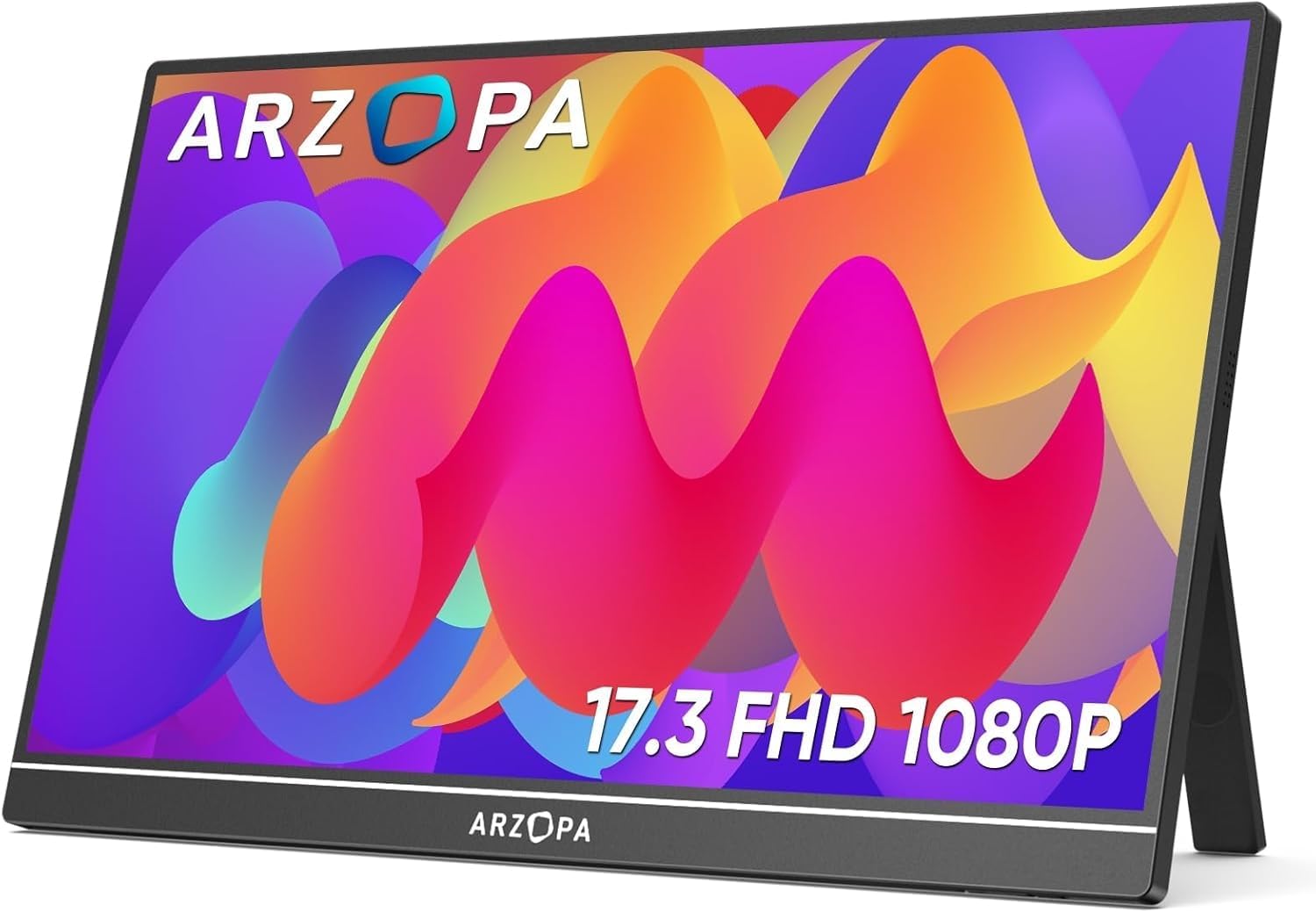
A large portable monitor in India means a 17 inch or bigger screen that you can move between desk, home and office, and in our data there are exactly three: a 17.3 inch, a 22 inch and a 24 inch. They are better thought of as movable than pocketable. This guide compares the three on price, weight, resolution and mounting, and says plainly who each suits and who should buy something smaller instead.
Quick answer: For the lowest price, the ARZOPA 17.3" FHD 103% sRGB is around ₹16,990 at the time of writing and weighs about 0.73 kg. For a big screen with a VESA mount and a faster refresh rate, the UPERFECT 24" 100Hz VESA is around ₹42,320. For the sharpest picture and touch, the UPERFECT 22" 2K Touch 180° is around ₹67,821. Amazon.in prices change often, so check each product page for the live price.
The three large portable monitors compared
| Spec | ARZOPA 17.3" FHD 103% sRGB | UPERFECT 24" 100Hz VESA | UPERFECT 22" 2K Touch 180° |
|---|---|---|---|
| Size | 17.3" | 24" | 22" |
| Resolution | 1920x1080 | 1920x1080 | 2560x1440 |
| Refresh rate | 60Hz | 100Hz | 60Hz |
| Panel | IPS | IPS | IPS |
| Brightness | 300 nits | 350 nits | 350 nits |
| Touchscreen | No | No | Yes |
| VESA mount | No | Yes | Yes |
| Weight | 0.73 kg | 1.8 kg | 1.5 kg |
| Ports | USB-C, mini HDMI | USB-C, mini HDMI | USB-C, mini HDMI |
| Price (approx.) | ₹16,990 | ₹42,320 | ₹67,821 |
| Rating | 4.3 (980 reviews) | 4.7 (210 reviews) | 4.9 (95 reviews) |
Everything above comes from the manufacturer specs and listings. All three list USB-C power delivery and a mini HDMI port. For a head-to-head on the two UPERFECT models, see the full spec table, and for the ARZOPA against the 24 inch, see this spec table.
How we picked these
We filtered our product data for every monitor with a screen size of 17 inches or more. Three models passed, so this page covers all three and nothing else. The comparison draws on manufacturer specs, listing details and owner ratings. We have not measured brightness, colour or power draw ourselves, so the figures above are the listed ones. Where the data is blank, such as the colour gamut on the UPERFECT models, we say so instead of guessing.
ARZOPA 17.3" FHD 103% sRGB: the value pick
The ARZOPA 17.3" FHD 103% sRGB is by far the cheapest of the three and the only one that feels close to a normal portable monitor. At around 0.73 kg it weighs about the same as 15.6" models, and it lists a built-in kickstand, HDR and 103% sRGB. Its pros in our data are HDR support and a good price-to-feature ratio.
Its cons: 60Hz only, no VESA mount and no touchscreen. Its 4.3 rating is lower than the UPERFECT models, but it comes from the biggest review pool of the three (980). At 1920x1080 on 17.3 inches, text is about 127 pixels per inch, which is clean for documents and spreadsheets.
It makes sense for someone who wants more screen than a 15.6" model for office work, charts or photo viewing without moving into a heavier, costlier class. If you are unsure whether 17 inches is the right step up, our 14, 15.6 and 17 inch size guide explains the trade-offs.
UPERFECT 24" 100Hz VESA: the biggest screen
The UPERFECT 24" 100Hz VESA is the largest and the only one in our data with a refresh rate above 60Hz. It lists a 180° adjustable kickstand and a VESA mount. The pros in our data: large 24 inch screen, 100Hz refresh rate, VESA mount and the 180° stand.
The cons: it weighs 1.8 kg and is expensive at around ₹42,320. At 1920x1080 on 24 inches, it works out to about 92 pixels per inch, so text looks softer than on any smaller panel here. Sit a little further back, or use display scaling carefully.
The 100Hz panel is a modest step up for scrolling and light gaming. It is not a high-refresh gaming monitor, and the data shows no adaptive sync specification, so check the listing if that matters to you. It suits a person who wants a large second screen at home, mounted on a stand or arm, and occasionally carries it to another desk.
UPERFECT 22" 2K Touch 180°: sharp, touch and heavy
The UPERFECT 22" 2K Touch 180° is the sharpest of the three, with 2560x1440 resolution (about 134 pixels per inch), touch support, VESA and a 180° adjustable kickstand. Its listing describes it as ideal for presentations, creative work and extended desktop use, and it has the highest rating of the three at 4.9, though from only 95 reviews.
The cons: it weighs 1.5 kg, it is the most expensive at around ₹67,821 and it is 60Hz only. No HDR is listed and no colour gamut figure is given. It suits presentations, touch-based work and shared desks, where the touch and the sharper picture matter. For other touch options, see our best touchscreen portable monitors guide.
Movable, not pocketable
Do not buy a 22 or 24 inch screen thinking it travels like a 15.6" one. A 24 inch 16:9 panel is roughly 53 cm wide (simple geometry, before bezels), which will not fit in a normal laptop bag. The weight of 1.5 to 1.8 kg is manageable, but the size is the problem.
- Plan on a dedicated bag or sleeve and check what the listing includes.
- Expect to use it at a desk. A 22 or 24 inch screen on a hotel-room table is awkward.
- Consider a smaller model for travel and keep a large one at home. Our best portable monitors in India pillar page covers the smaller options, and the travel portable monitors category lists the compact ones.
VESA mounts: what to check
Two of the three list VESA support: the UPERFECT 22" and 24". A VESA mount lets you use a monitor arm, a stand or a wall bracket, which is how most people get a large screen to eye level and into portrait mode.
- Confirm the VESA pattern (hole spacing) on the listing. Our data only says whether VESA is supported.
- Check the weight limit of your arm. The monitors weigh 1.5 and 1.8 kg.
- Check whether a mounting kit comes in the box.
- The ARZOPA 17.3" has no VESA mount, so it relies on its kickstand.
Power and connection
Bigger panels use more power. All three list USB-C power delivery, but a laptop's USB-C port may not supply enough for a 22 or 24 inch screen. If the picture dims, flickers or drops out, plug in the wall adapter that comes with the monitor, if one is included, or use a USB-C charger of enough wattage (check the listing). Our guide on whether portable monitors need external power goes through it. Also check that your laptop's USB-C port supports video output before relying on a single cable.
Who should skip a large portable monitor
A large screen is not the right answer for everyone.
- Frequent travellers. If your screen lives in a backpack, a 14 to 15.6 inch model is far easier to carry. A 0.5 to 0.75 kg monitor fits in most laptop sleeves.
- Anyone with a small desk. A 22 or 24 inch screen beside a laptop needs real desk width, since the monitor alone is roughly half a metre wide.
- Buyers who want a pure desktop monitor. If the screen never moves, a standard desktop monitor may cost less. Portable monitors earn their price when you actually move them.
- People with laptops that cannot drive large panels well. Check the laptop's video output and USB-C power before buying a bigger screen.
Setting up a large screen at a desk
Large portable monitors need more attention to placement than small ones.
- Put the top edge of the screen at or slightly below eye level and about an arm's length away.
- Use the 180° kickstand only on a flat, stable surface. A 1.5 to 1.8 kg screen can tip on a soft or uneven table.
- With a VESA mount, a monitor arm lets you adjust height and distance and frees up desk space under the screen.
- Set display scaling so text looks right. On the 24 inch full HD model, 100% scaling gives large, soft text, while on the 22 inch 2K model many people use 100% to 125%.
- Keep the cable route short so a tug does not pull the screen off the desk.
Large screens for multi-screen setups
A large portable monitor can become the main extra screen in a two or three screen layout. If you want to combine it with a second portable, our triple-screen laptop setup guide covers how many displays a laptop can usually drive. You can also see every large-screen portable monitor in our catalogue.
Which one should you buy?
- More screen on a modest budget: ARZOPA 17.3" FHD 103% sRGB.
- Largest screen, VESA mount, 100Hz: UPERFECT 24" 100Hz VESA.
- Sharpest text and touch: UPERFECT 22" 2K Touch 180°.
- Need it to fit in a laptop bag: none of these. Look at 14 to 15.6 inch models instead.
If none of the three fits, a 15.6" model on a stand is a cheaper way to get a second screen. Our data has no 17 inch or larger alternatives beyond these three.