By PortableMonitor Editorial Team ·
Best Touchscreen Portable Monitors in India (2026)
Three touchscreen portable monitors on Amazon.in: a light 14 inch Lenovo, a 15.6 inch 4K OLED and a 22 inch 2K UPERFECT. Prices in ₹, trade-offs and compatibility notes.
Disclosure: as an Amazon Associate we earn from qualifying purchases made through links on this page. This guide is based on manufacturer specifications, Amazon.in listings and owner reviews. Prices change, so check the live price before you buy. How we research.
The best touchscreen portable monitor in India depends on whether you value weight, picture quality or screen size. We track three touch models on Amazon.in: the 14 inch Lenovo ThinkVision M14T, the 15.6 inch Upperizon OLED 4K and the 22 inch UPERFECT 2K. They are all expensive compared with non-touch panels, so it is worth being sure that touch will actually be useful for you.
Quick answer: the Lenovo ThinkVision M14T 14″ FHD Touch is the most practical pick at around ₹31,990. The Upperizon OLED 15.6" 4K Touch is the one to buy if budget is no concern, and the UPERFECT 22" 2K Touch 180° is the one for a desk. Prices change on Amazon.in, so use the product pages for current prices.
How we compared them
This guide is based on manufacturer specs, listing details and the ratings and reviews shown on Amazon.in. We have not hands-on tested these monitors, so where behaviour depends on your laptop or operating system, we say so rather than guess.
Touchscreen portable monitors at a glance
| Model | Size | Resolution | Weight | Ports | Price (approx.) | Rating |
|---|---|---|---|---|---|---|
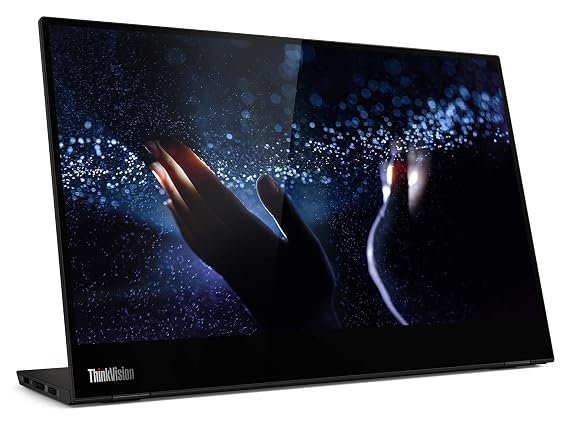
| Lenovo ThinkVision M14T | 14" | 1920x1080 IPS | 0.6 kg | Dual USB-C, no HDMI | ₹31,990 | 4.1 (3,150 reviews) |
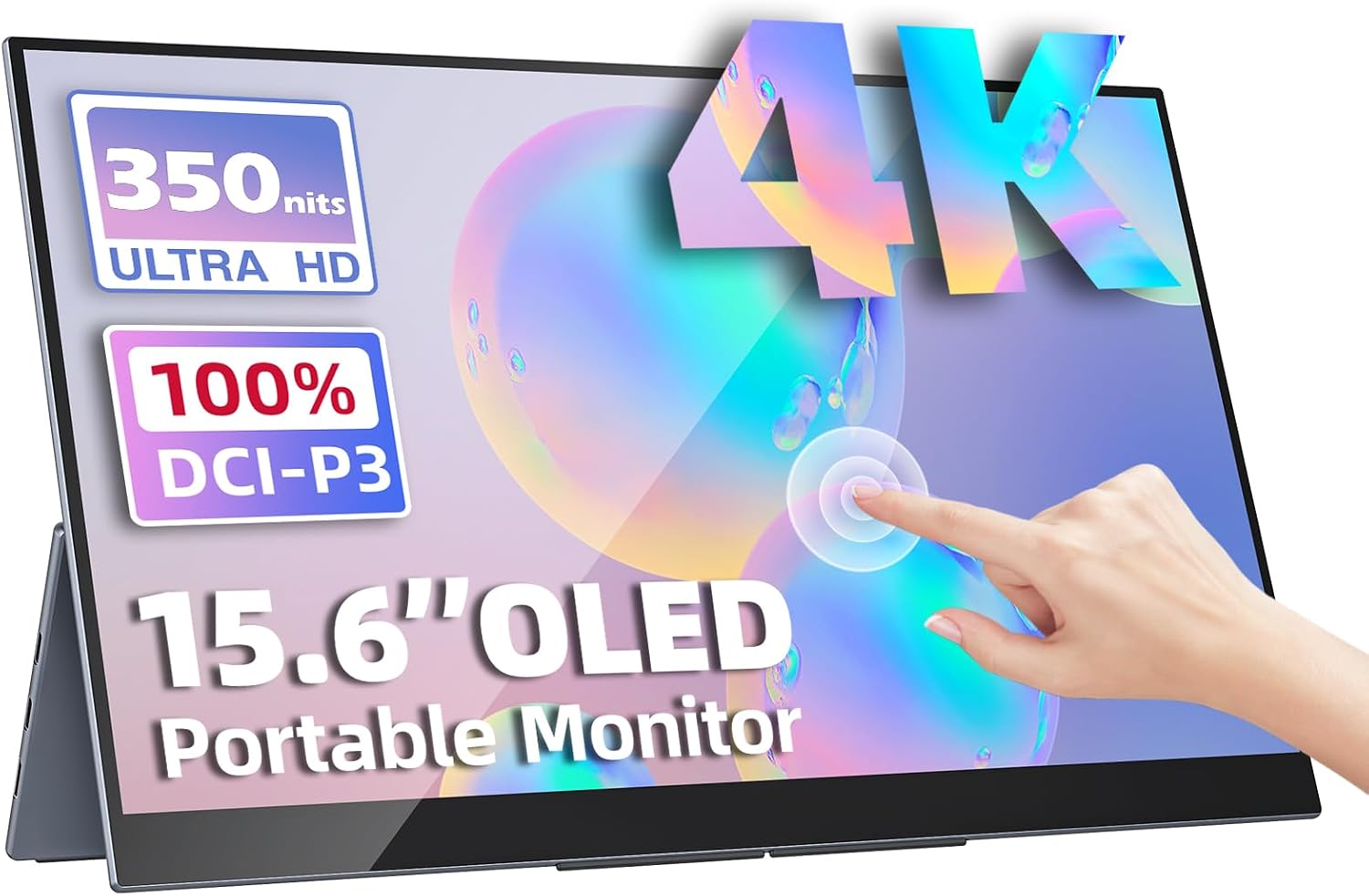
| Upperizon OLED 15.6" 4K Touch | 15.6" | 3840x2160 OLED | 0.9 kg | USB-C, mini HDMI | ₹70,677 | 4.8 (180 reviews) |
| UPERFECT 22" 2K Touch 180° | 22" | 2560x1440 IPS | 1.5 kg | USB-C, mini HDMI | ₹67,821 | 4.9 (95 reviews) |
All three are 60Hz. Treat the larger review count on the Lenovo as stronger evidence than the higher scores from smaller samples on the other two.
Best overall: Lenovo ThinkVision M14T 14″ FHD Touch
Why it leads: it is the cheapest touch model in our data, the lightest at 0.6 kg and has by far the most reviews (3,150). The listing highlights a premium aluminium build and dual USB-C ports with power delivery pass-through.
Pros: ultra-light, aluminium build, dual USB-C with PD pass-through.
Cons: no HDMI port and 60Hz only. The listing also shows no built-in speakers, and the rating of 4.1 is the lowest of the three.
Who it suits: Windows laptop owners with a USB-C video port who want a thin touch panel that fits in a bag next to the laptop. The tags on the listing mention MacBook compatibility for video, but touch on macOS is limited (see the compatibility section below).
Who should skip it: anyone who needs HDMI for a console, mini PC or older laptop. Lenovo's panel will not connect without USB-C video support.
Best picture quality: Upperizon OLED 15.6" 4K Touch
Why it stands out: this is the only OLED and only 4K model among the touch monitors. It lists 3840x2160, 100% DCI-P3, 400 nits, a 1 ms response time and HDR. It comes with a case and stand.
Pros: stunning 4K OLED display, 100% DCI-P3 colour, multi-touch, case and stand included.
Cons: very expensive (around ₹70,677) and 60Hz only. It does not list a VESA mount.
Who it suits: creative users who want colour-rich visuals and touch in a portable package. Pair it with a laptop that can output 4K over USB-C. Our 4K portable monitor guide covers the requirements in detail.
Who should skip it: anyone who just wants touch for casual use. At more than twice the price of the Lenovo, the extra cost buys display quality, not extra touch features. Remember the burn-in caution that applies to OLED panels with static content.
Best for a desk: UPERFECT 22" 2K Touch 180°
Why it stands out: 22 inches of 2560x1440 IPS with touch, a VESA mount and a 180° adjustable kickstand. It has the highest rating of the three at 4.9, although from only 95 reviews.
Pros: large 22 inch display, 2K resolution, touch with VESA, 180° adjustable stand.
Cons: heavy at 1.5 kg, expensive (around ₹67,821) and 60Hz only. It lists no HDR support.
Who it suits: presentations, whiteboard-style collaboration, creative workspace and anyone who wants a large touch surface on a desk or arm. Browse more large options in the large screen portable monitor category.
Who should skip it: frequent travellers. At 1.5 kg and 22 inches, it is closer to a desk monitor than a travel one.
If you are deciding between the two premium models, read our head-to-head Upperizon OLED 4K vs UPERFECT 22 2K Touch comparison, or open the full spec table.
Compatibility: where touch works and where it does not
Touch is where buyers get surprised. The screen itself can work perfectly and the touch layer can still stay dead.
Windows
Windows supports external touch monitors well. When connected over a USB-C cable that carries video, touch generally arrives on the same cable. Windows then maps touch to the correct screen.
macOS
MacBooks will show video from a touch monitor, but macOS does not generally support touch input from external displays. If you want a MacBook second screen, a non-touch model is cheaper and gives the same result. See our MacBook portable monitor guide for options.
Phones and Samsung DeX
Many Android phones can output video to a USB-C display. Touch may or may not pass through, depending on the phone and mode. Samsung DeX in particular can support touch on an external monitor on some setups, but results vary. Our guide to using a portable monitor with a phone covers connection details.
Consoles and HDMI sources
PlayStation, Xbox and Nintendo Switch do not use touch input, so touch is wasted there. Over HDMI, touch also normally needs a separate USB cable to a host that can use it. The Lenovo has no HDMI at all.
Practical tips for living with a touch monitor
Stand and angle
Touch means you will press on the glass. A kickstand that wobbles will frustrate you quickly. The UPERFECT lists a 180° adjustable kickstand, which lets the panel lie almost flat, and that suits drawing-style or tabletop use. The Lenovo lists an adjustable foot stand. Neither listing gives a tilt range we can verify, so check owner reviews and images.
Fingerprints and screen protection
Glossy touch panels pick up fingerprints. Keep a microfibre cloth in the bag. If a screen protector is available for your model, check that it does not interfere with touch response.
Setup order
- Connect the monitor to your laptop and confirm video first.
- Check in your system settings that touch input is detected. On Windows, look for the touch screen in Device Manager under human interface devices.
- If touch maps to the wrong display, use the "Tablet PC settings" calibration in Windows to assign it.
- Test pinch, scroll and two-finger gestures in a browser before relying on them.
Pen and stylus
None of the three listings states pen support. If you need to write or draw with a pen, confirm it in the product description or buy a dedicated pen display instead.
Is touch worth paying for?
Ask yourself what you will actually do with it.
- Worth it: annotating documents, signing PDFs, presenting to a small group, using Windows apps built for touch, controlling music or smart-home dashboards on a side screen.
- Not worth it: coding, spreadsheets, browsing with a mouse, console gaming and any MacBook setup.
If you only want occasional touch interaction, compare against a tablet. Our post on portable monitor vs tablet as a second screen lays out the trade-offs. And if you do not need touch at all, the budget portable monitors start under ₹10,000.
Why the choice is so narrow
Touch adds cost: a digitiser layer, a touch controller and, for USB-C models, extra work to carry touch data alongside video. That is why the three touch models in our database start at around ₹31,990 while the cheapest Full HD non-touch monitor, the MSI PRO MP161 15.6" FHD, is around ₹9,999. If your budget sits between those, a non-touch monitor plus a tablet you already own may do more for you than a touch panel.
Final recommendation
- Choose the Lenovo ThinkVision M14T if you want a light touch panel and have a USB-C laptop.
- Choose the Upperizon OLED 4K Touch if image quality matters more than price.
- Choose the UPERFECT 22" 2K Touch if you want a large desk screen with touch and VESA.
See the full touchscreen portable monitors category for the current list and live prices.