
By PortableMonitor Editorial Team ·
OLED vs IPS Portable Monitors: Is OLED Worth ₹70,000?
OLED gives deeper blacks and richer colour, but it costs about three times as much as a good IPS screen. Here is what you actually get for the money.
Disclosure: as an Amazon Associate we earn from qualifying purchases made through links on this page. This guide is based on manufacturer specifications, Amazon.in listings and owner reviews. Prices change, so check the live price before you buy. How we research.
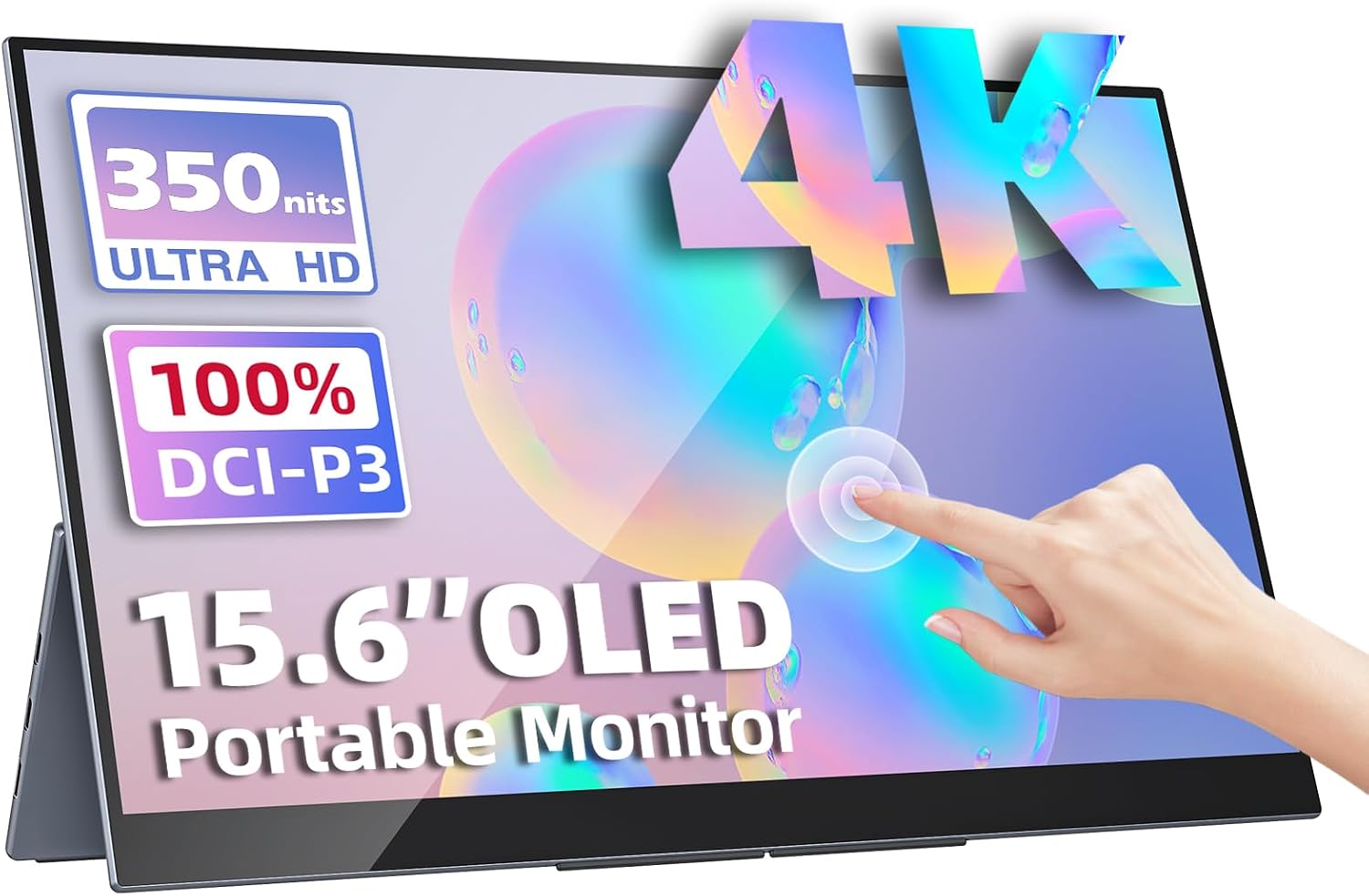
OLED vs IPS portable monitor comes down to what you value: OLED gives deeper blacks, higher contrast and wider colour, while IPS gives a far lower price and no burn-in worry. In our data there is exactly one OLED model, the Upperizon OLED 15.6" 4K Touch at around ₹70,677, and many IPS models between ₹10,000 and ₹25,000.
For most people using a portable monitor as a second screen for work, IPS is the sensible choice. OLED makes sense if you edit photos or video, watch a lot of HDR content, or want the best screen you can fit in a bag.
All prices are from Amazon.in at the time of writing and change often, so check each product page for the live price.
OLED vs IPS: the core differences
| OLED | IPS | |
|---|---|---|
| Black level | Pixels turn off, so black is truly black | Backlight leaks, blacks look dark grey |
| Contrast | Very high | Moderate |
| Colour gamut | Often wide (the Upperizon OLED lists 100% DCI-P3) | Varies, 85% to 103% sRGB on listings that state it |
| Response time | Very fast (1ms on the Upperizon OLED) | 5 to 6ms on most models in our data |
| Burn-in risk | Present with static images over long periods | Not a concern |
| Typical price here | ₹70,000 for one model | ₹10,000 to ₹25,000 for 15.6" to 17.3" FHD models |
What you get with OLED
The Upperizon OLED lists a 15.6-inch 4K panel (3840x2160) with 100% DCI-P3 colour, HDR, 400 nits, a 1ms response time and multi-touch support. Several of those specs are not about OLED, though. The 4K resolution and the touch layer are separate costs.
Resolution is a real difference. At 15.6 inches, 4K gives roughly 282 pixels per inch (our calculation from the stated resolution), against roughly 141 for a 1080p panel of the same size. Text and fine detail look sharper. We cover the resolution side separately in our best 4K portable monitors guide.
Good at: contrast, colour, sharpness, HDR content, touch input. The listing also lists a case and stand in the box. Bad at: price, 60Hz only, no VESA mount, and the burn-in question below.
What you get with IPS
IPS panels in our data are all 1080p or 2K, at 60Hz or 100Hz, 250 to 350 nits. Three show what the technology offers at a lower price.
Upperizon 15.6" FHD HDR IPS
The Upperizon 15.6" FHD HDR IPS is the closest IPS match to the OLED: same brand, same size, HDR listed, and VESA mounting that the OLED lacks. It is around ₹22,184, rated 4.8 from 520 reviews, at 0.8kg and 300 nits.
Good at: HDR at an accessible price, VESA mount, speakers. Bad at: 60Hz, 1080p only, 300 nits, and no touch. It will not match the OLED for contrast.
For a direct spec comparison, see the Upperizon IPS vs OLED table.
ARZOPA 17.3" FHD 103% sRGB
The ARZOPA 17.3" FHD 103% sRGB is a larger screen at around ₹16,990, with HDR listed and the widest sRGB figure of the IPS models in our data. It is rated 4.3 from 980 reviews, at 0.73kg.
Good at: colour coverage for the price, large screen, HDR on the listing. Bad at: 60Hz and 1080p stretched over 17.3 inches, so it is less sharp per inch than a 15.6-inch 1080p panel.
cocopar 15.6" FHD IPS
The cocopar 15.6" FHD IPS lists 85% sRGB at around ₹15,999, rated 4.7 from 650 reviews. It is a plain, lower-gamut IPS screen with a smart cover stand included.
Good at: price and cover stand. Bad at: 85% sRGB is narrower than the 103% ARZOPA, and it has 60Hz and no VESA mount. It is not suited to colour-critical editing.
The price gap
The Upperizon OLED is around ₹70,677. The Upperizon IPS is around ₹22,184. That is roughly 3.2 times the price (our calculation). The extra money buys 4K resolution, OLED contrast, wider colour, touch and a 1ms response, in one package. If you do not need touch or 4K, you pay for features you do not use.
For comparison, the UPERFECT 22" 2K Touch is around ₹67,821 and is a 22-inch IPS touchscreen. The Upperizon OLED vs UPERFECT 22" comparison goes into that choice of size vs panel type.
How the difference shows up in daily use
On a desk, the contrast gap is easiest to see with dark content. A film with night scenes, a photo with deep shadows or a dark-mode interface looks flat on IPS next to OLED, because the IPS backlight stays on behind black pixels. In a bright room with a document open, the gap shrinks a lot, because the screen is mostly white and both panels behave similarly.
Text is the other point. A 4K panel renders small fonts more smoothly than a 1080p one, which helps if you read all day, but you may need to set display scaling in your operating system to keep text a readable size on a 15.6-inch screen. Windows and macOS both support scaling, though some older apps look blurry when scaled.
Power is a third. We do not have a listing figure for the Upperizon OLED's power draw, so check the listing if you plan to run it from a laptop battery. A 4K panel generally asks more of the source device too, since the laptop must drive a larger picture, so older or low-powered laptops may struggle with 4K over USB-C. Check that your laptop's port supports 4K at 60Hz.
Burn-in: how real is it?
Burn-in (permanent image retention) is a known OLED limitation. It happens when static, bright elements, such as a taskbar, menu bar or code editor sidebar, are displayed for very long stretches. Manufacturers add protections such as pixel shifting, but the effect is not zero, and we have not seen any listing detail for how this panel handles it.
Practical points, based on general OLED behaviour rather than anything we measured on this model:
- Static layouts are the risk. A second screen that shows the same terminal or spreadsheet for 8 hours a day is a worse fit than one used for video, photos and varied work.
- Lower brightness helps. Running below maximum reduces wear.
- Dark themes help. Fewer lit pixels mean less ageing.
- Use a screensaver or auto-off. Do not leave a static image up overnight.
If you want a screen you can leave on a fixed dashboard, an IPS model has no such concern.
Brightness and outdoor use
On paper, the OLED lists 400 nits against 300 for most IPS models. Both are fine indoors. Neither is a good outdoor screen in direct sun, and a touchscreen with a glossy surface can reflect light more than a matte one. Check the listing photos and reviews for glare if you plan to use it in a bright room.
Who should buy which
Choose OLED if
- You edit photos or video and want wide gamut and strong contrast.
- You watch HDR films and want deep blacks.
- You want the sharpest 15.6-inch screen in our data and have the budget.
- You use varied content, not a static layout all day.
Choose IPS if
- You use the screen for coding, spreadsheets, documents or browser work.
- You want to spend under ₹25,000.
- You would rather not think about burn-in.
- You want a VESA mount (the OLED has none).
For developers who spend all day in editors, our best portable monitors for developers guide covers IPS options built for that. If you want touch, see the best touchscreen portable monitors, and for a general overview of what specs to prioritise, read our portable monitor buying guide.
To browse all OLED models, open the OLED portable monitors category. At the time of writing it contains one model, the Upperizon OLED.
Bottom line
OLED is a clear step up in picture quality, but in the Indian market on Amazon.in it comes at a high price and with a single model in our data. A 1080p IPS panel such as the Upperizon 15.6" FHD HDR IPS delivers most of what a second screen needs for about a third of the price. Choose OLED for creative or media work and accept the burn-in caveat; choose IPS for everything else.