
By PortableMonitor Editorial Team ·
Best 4K Portable Monitors in India (2026)
Only one portable monitor in our Amazon.in database is true 4K. Here is who it suits, what it costs in ₹, and which sharper or cheaper alternatives are worth a look.
Disclosure: as an Amazon Associate we earn from qualifying purchases made through links on this page. This guide is based on manufacturer specifications, Amazon.in listings and owner reviews. Prices change, so check the live price before you buy. How we research.
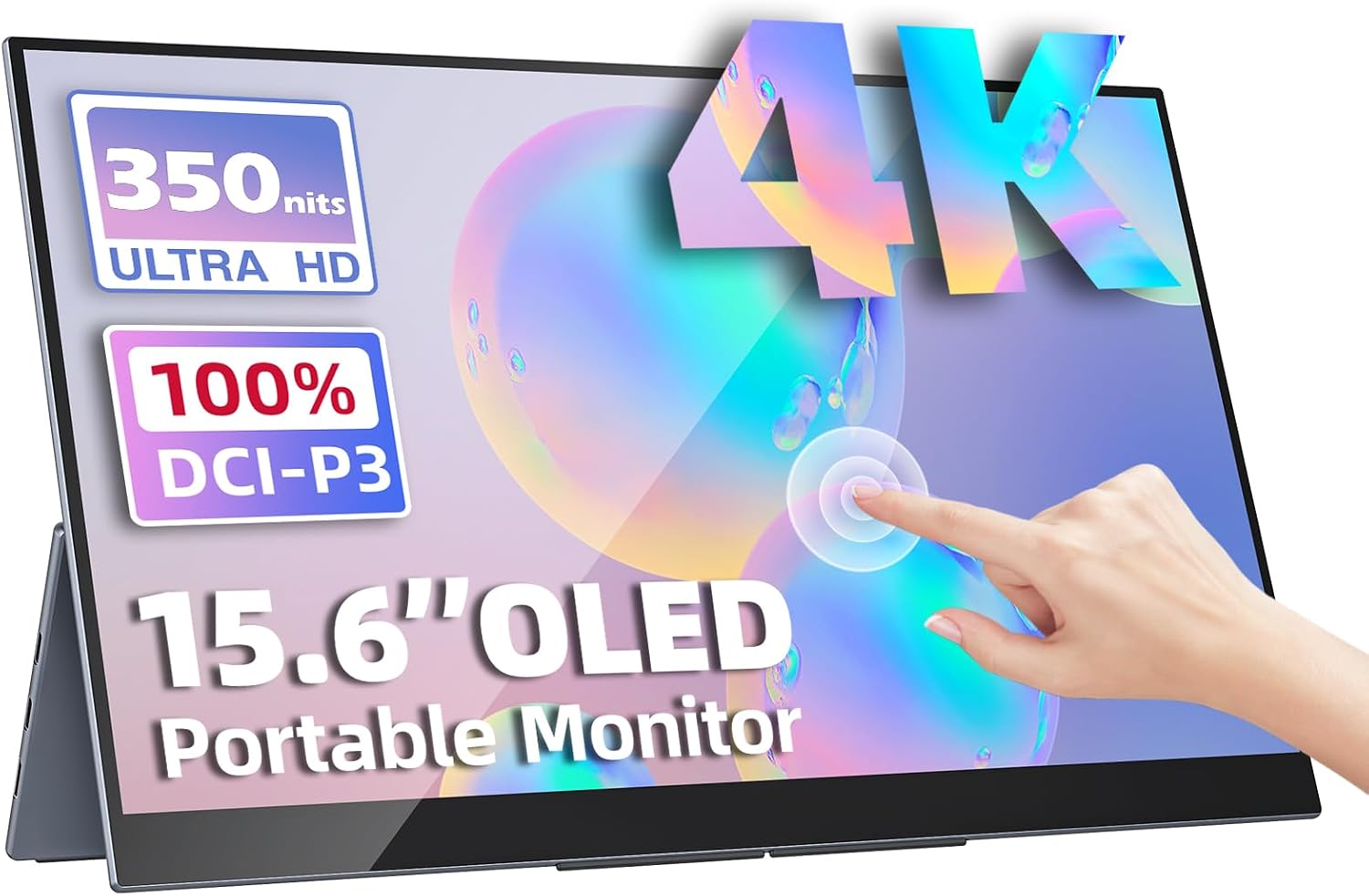
If you want the best 4K portable monitor in India, the answer from the products we track is short: the Upperizon OLED 15.6" 4K Touch is the only true 4K model in our Amazon.in database. It costs around ₹70,677 at the time of writing, so most buyers should look at the cheaper sharp alternatives below before spending that much.
Quick answer: buy the Upperizon OLED 15.6" 4K Touch if you want the sharpest, richest portable screen and have a laptop that can drive it. Choose the UPERFECT 22" 2K Touch 180° for a larger workspace, or the Upperizon 15.6" FHD HDR IPS if you want HDR at roughly a third of the price.
What we looked at
This guide is based on manufacturer specs, listing details and what owners report on Amazon.in. We only include products from our database, and when a spec is missing we say so. Amazon prices change, so use each product page for the live price.
Best 4K portable monitor: Upperizon OLED 15.6" 4K Touch
| Spec | Detail |
|---|---|
| Resolution | 3840x2160 (4K UHD) |
| Panel | OLED |
| Colour | 100% DCI-P3 |
| Brightness | 400 nits |
| Refresh rate | 60Hz |
| Response time | 1 ms |
| Touch | Yes, multi-touch |
| Weight | 0.9 kg |
| Ports | USB-C with power delivery, mini HDMI |
| Price | around ₹70,677 |
| Rating | 4.8 from 180 reviews |
Pros (from the listing): a 4K OLED display, 100% DCI-P3 colour, multi-touch and a case and stand in the box.
Cons: very expensive and 60Hz only. It also has no VESA mount per the data.
At 15.6 inches, 4K works out to about 282 pixels per inch. Full HD on the same size is about 141. You will notice the difference in small text, fine detail in photos and 4K video.
OLED brings deep blacks and strong contrast. It also carries a burn-in risk if static elements such as a taskbar stay on screen for long periods. Read OLED vs IPS portable monitors for the trade-offs and how to reduce the risk.
Choose it if: you edit photos or video on the go, want colour-rich HDR content, or want touch and 4K in one 0.9 kg package.
Skip it if: you mostly use spreadsheets and browsers, your laptop cannot output 4K, or ₹70,000 is more than you want to spend on a second screen.
Alternative: UPERFECT 22" 2K Touch 180° for workspace
The UPERFECT 22" 2K Touch 180° is 2560x1440 on an IPS panel, with touch, a VESA mount and a 180° adjustable stand. It sells for around ₹67,821 with a 4.9 rating from 95 reviews.
The pixel density on 22 inches is about 134 pixels per inch, roughly the same as a Full HD 15.6 inch panel. You gain space, not sharpness. Cons from the listing: heavier at 1.5 kg, expensive and 60Hz only.
Choose it if: you want a big, desk-friendly second screen that still folds away. See our large screen portable monitors category for other sizes.
For a direct matchup, read Upperizon OLED 4K vs UPERFECT 22 2K Touch or open the full UPERFECT 22" vs Upperizon OLED spec comparison.
Budget alternative: Upperizon 15.6" FHD HDR IPS
If you want HDR support without 4K, the Upperizon 15.6" FHD HDR IPS lists HDR, 1920x1080, 300 nits, built-in speakers, USB-C and mini HDMI, VESA support and a 0.8 kg weight. It costs around ₹22,184 with a 4.8 rating from 520 reviews.
It is not 4K and it is not a true HDR display in the way an OLED is (the listing says "HDR" without specifying a peak brightness standard), so set expectations accordingly. Cons: 60Hz and no touch. It is a decent step up from basic Full HD panels for video, but if sharpness is your goal, it will not match the 4K model.
Do you need 4K on a portable monitor?
For most buyers, no. Here is how to decide.
- Choose 4K for photo editing, video grading, design work, reading fine print or if you simply want the best picture available.
- Choose 2K if you need more room on a larger screen and you work with many windows.
- Choose Full HD for documents, email, coding, calls and streaming. Every other model in our database except the UPERFECT 22" is Full HD, and most cost between about ₹9,999 and ₹24,784.
See our 4K portable monitor category and OLED portable monitor category for the live list.
What your laptop or device must support
A 4K portable monitor only helps if the source can send 4K.
- USB-C: the port must support video output (DisplayPort Alt Mode or Thunderbolt). Many recent laptops do. Some older or budget machines do not.
- HDMI: check the version of the laptop's HDMI port. Older HDMI versions limit 4K to 30Hz, which feels sluggish. The monitor listing should say which modes it supports, so check it.
- Cable quality: a poor cable can cause flicker or no signal. Use the cable that came in the box when possible.
- Power: an OLED 4K panel can draw more power than a basic Full HD IPS screen, so check whether your laptop's USB-C port can supply enough on its own. See our post on USB-C vs HDMI for portable monitors for more.
Scaling on Windows and macOS
On a 15.6 inch 4K screen, text at 100% scaling is tiny. Windows typically needs 150% to 200% scaling. macOS handles high-density screens well, but you can still choose a scaled resolution in display settings. This is also how other 4K laptops behave, so the settings should feel familiar.
Touch input
The Upperizon OLED supports multi-touch. Touch works best on Windows and Android devices. Touch support on macOS for external displays is limited, so check before buying if you plan to use a MacBook. Our touchscreen portable monitor guide explains this in more detail.
Use cases where 4K helps most
Photo and video work
The Upperizon OLED lists 100% DCI-P3 coverage, which is a wider colour gamut than the sRGB that most Full HD IPS portable monitors target. If you edit photos or grade video away from your desk, that is the one spec in this guide that is a real step up. Even so, the listing does not state factory calibration, so a hardware calibrator is the only way to be sure of accuracy for professional work.
Reading and text
Text on a 4K screen of this size is very crisp. If you read code, long PDFs or small spreadsheets for hours, the density can reduce eye strain for some people, though experience varies and this is not a medical claim.
Streaming and film
An OLED panel with HDR gives strong contrast for movies. Content availability matters too: you need a source that actually outputs 4K HDR. A laptop with a 4K-capable USB-C port is the usual route.
Consoles
A PS5 can output 4K to a compatible display over HDMI. The Upperizon lists mini HDMI, so you would need the right cable. Because the panel is 60Hz, you will not get 120Hz modes, and a 4K OLED costs far more than a screen like the ARZOPA G1 Game 15.6" FHD that is built for console use at Full HD. For console buyers specifically, read our PS5, Switch and Steam Deck monitor guide.
Questions to ask before you buy
- Can my laptop output 3840x2160 at 60Hz over USB-C or HDMI?
- Will I use touch? If not, you are paying for a feature you do not need.
- Am I comfortable with OLED care, such as hiding the taskbar and not leaving static images on screen?
- Would a 22 inch 2K screen give me more useful space than a smaller 4K one?
- Is the saving from a Full HD IPS model large enough to outweigh the sharpness gain?
For many people the answer to the last question is yes, and the right choice is a 15.6 inch Full HD screen from our budget portable monitor list.
Summary
| Need | Pick | Approx. price |
|---|---|---|
| True 4K, OLED, touch | Upperizon OLED 15.6" 4K Touch | ₹70,677 |
| Large 2K workspace, touch | UPERFECT 22" 2K Touch 180° | ₹67,821 |
| HDR on a budget | Upperizon 15.6" FHD HDR IPS | ₹22,184 |
The 4K choice in this segment is narrow. If the Upperizon OLED is out of budget, a Full HD model such as the HDR IPS one above is the sensible compromise.