
By PortableMonitor Editorial Team ·
Upperizon OLED 4K vs UPERFECT 22" 2K Touch: Which to Buy?
Two touchscreen portable monitors at nearly the same price: a compact 4K OLED and a large 22-inch 2K IPS. Here is how they differ and who should buy which.
Disclosure: as an Amazon Associate we earn from qualifying purchases made through links on this page. This guide is based on manufacturer specifications, Amazon.in listings and owner reviews. Prices change, so check the live price before you buy. How we research.
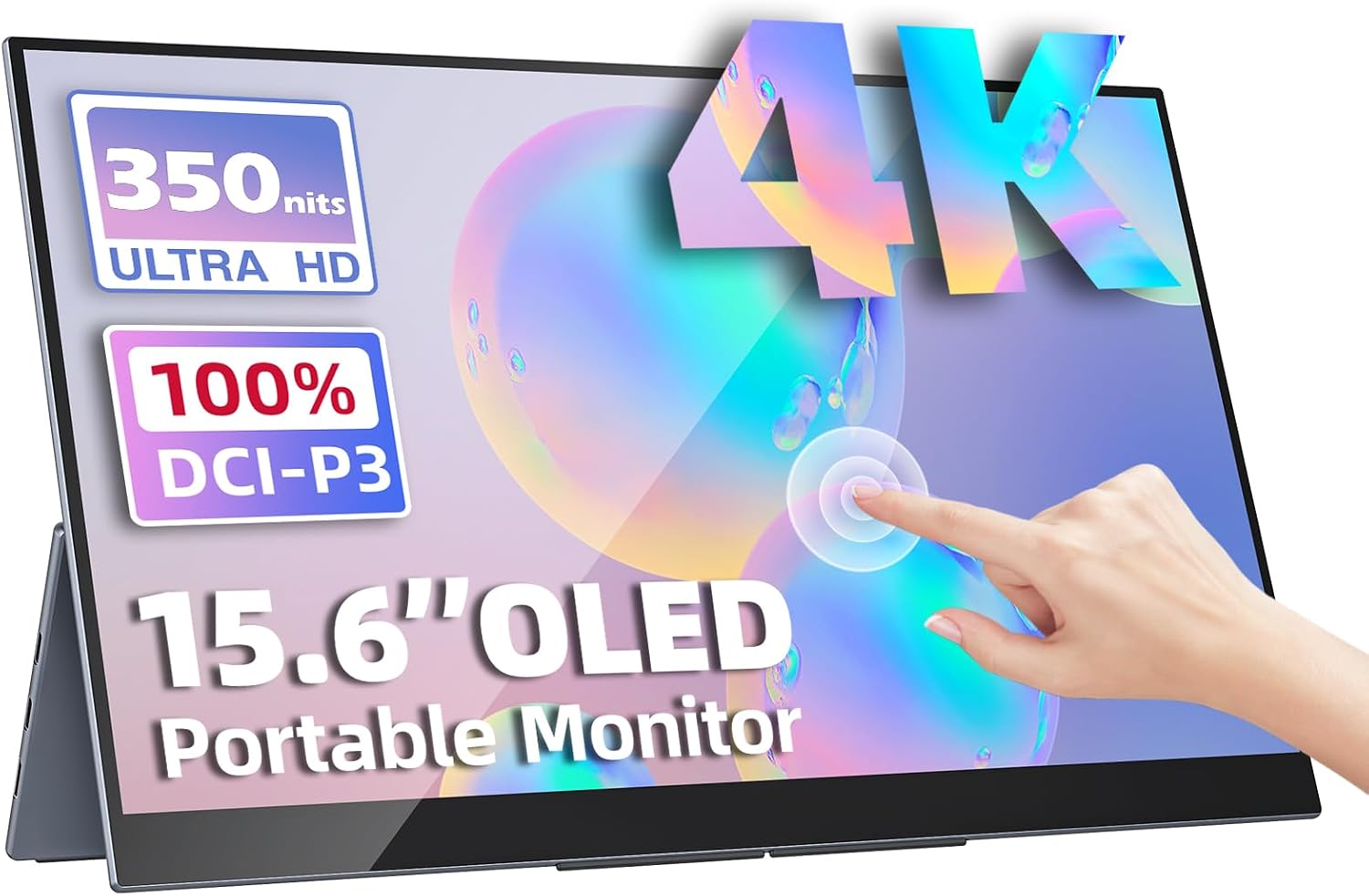
The Upperizon OLED 15.6" 4K Touch and the UPERFECT 22" 2K Touch cost almost the same, but they solve different problems. The Upperizon is a compact 4K OLED you can carry in a bag, and the UPERFECT is a large 22 inch touch display you move between desks. This comparison of the Upperizon OLED vs UPERFECT 22 2K uses listing specs and owner ratings, and prices are shown at the time of writing. Amazon prices change, so check the product pages for the live figure.
Short version: choose the Upperizon OLED 15.6" 4K Touch for picture quality and portability. Choose the UPERFECT 22" 2K Touch 180° for screen size and desk flexibility.
Specs side by side
| Spec | Upperizon OLED 15.6" 4K Touch | UPERFECT 22" 2K Touch 180° |
|---|---|---|
| Price (approx.) | ₹70,677 | ₹67,821 |
| Rating | 4.8 (180 reviews) | 4.9 (95 reviews) |
| Screen size | 15.6" | 22" |
| Resolution | 3840x2160 (4K) | 2560x1440 (2K) |
| Panel | OLED | IPS |
| Colour gamut | 100% DCI-P3 | Not listed |
| Brightness | 400 nits | 350 nits |
| HDR | HDR | Not listed |
| Response time | 1 ms | 5 ms |
| Refresh rate | 60Hz | 60Hz |
| Touch | Multi-touch | Touch |
| Weight | 0.9 kg | 1.5 kg |
| VESA mount | No | Yes |
| Speakers | Yes | Yes |
| USB-C PD / mini HDMI | Yes / Yes | Yes / Yes |
| In the box (per listing) | Kickstand, sleeve case | 180° adjustable kickstand |
For the full side-by-side with every field, open the spec comparison table.
Display quality: 4K OLED vs 2K IPS
The Upperizon has the better panel on paper. OLED means each pixel makes its own light, so blacks are deep and contrast is high, and the listing shows 100% DCI-P3 coverage and HDR support. The UPERFECT uses an IPS panel with no colour gamut or HDR figure listed.
Sharpness is a bigger gap than the resolution numbers suggest. By calculation, the Upperizon packs about 282 pixels per inch (4K on 15.6"), while the UPERFECT is about 133 ppi (1440p on 22"). Text and fine detail on the Upperizon look much finer. On the UPERFECT, the larger screen compensates: you see more windows at once, but each pixel is bigger.
If you want to understand the panel type in depth, our OLED vs IPS portable monitor guide covers contrast, brightness and burn-in. Browse the OLED portable monitors category to see how rare this panel is in our list: the Upperizon is the only one.
Size and portability
This is where the two split most clearly.
- Upperizon, 0.9 kg: fits in a laptop bag next to a 15.6 inch laptop. The listing includes a sleeve case.
- UPERFECT, 1.5 kg: the screen alone is around 49 cm wide (calculated from the diagonal). It will not fit a normal laptop bag. It is better treated as a movable desktop monitor.
If you want a monitor you can carry on every trip, the UPERFECT is the wrong shape. If you want a large second screen for a fixed desk, the Upperizon's 15.6 inches may feel small. Our portable monitor size guide covers where each size makes sense.
Touch, stands and mounting
Both are touchscreens, and both list USB-C power delivery and mini HDMI. The difference is in how they sit.
The UPERFECT supports VESA mounting and has a 180° adjustable kickstand, so you can put it on a monitor arm or lay it nearly flat for drawing or a shared presentation. The Upperizon has no VESA mount, so it relies on its kickstand and case. For stylus-like or flat-lay use, the UPERFECT's stand is the more flexible one.
For more touch options, see the touchscreen portable monitors category or our touchscreen buying guide.
Price and value
The UPERFECT is around ₹2,856 cheaper, which is under 5% of the price. That gap is small enough that price should not drive the decision. What you get for the money differs: the Upperizon spends it on panel quality, the UPERFECT on size. Both list 60Hz, so neither is a gaming pick.
Both are expensive. The listings call this out as a downside for each (the Upperizon is "very expensive", the UPERFECT "expensive"). If you only need a basic second screen, a 1080p monitor costs a fraction of this, and our best 4K portable monitors guide shows where the 4K OLED fits in the wider range.
Do you need to spend this much?
Probably not, unless touch, 4K or a 22 inch canvas matters to you. If you want a good panel without the premium, the Upperizon 15.6" FHD HDR IPS lists HDR, speakers and VESA mounting at around ₹22,184, rated 4.8 across 520 reviews. It has no touch and is 1080p, but it costs about a third of either monitor here. For work that does not need touch, that is a more reasonable place to start.
Who should skip both
Gamers should look elsewhere: both are 60Hz, so neither is built for fast motion. Anyone who just wants a laptop companion for spreadsheets and email will not see the benefit of 4K or 2K in daily use. Buyers who want the cheapest touch option are not served well either, since both of these are near the top of our price range. Our OLED portable monitor and touchscreen category pages show the full spread.
Choose the Upperizon OLED 15.6" 4K Touch if
- You carry your monitor often and want it under 1 kg.
- You edit photos or video, or watch HDR content, and care about colour and contrast.
- You like sharp text and sit close to the screen.
- You do not need a VESA mount.
Watch for: the price, 60Hz only, and the general OLED caution about leaving static elements on screen for long periods.
Choose the UPERFECT 22" 2K Touch 180° if
- It lives on a desk or moves between a few rooms.
- You want a large canvas for presentations, design work or several windows.
- You need a VESA mount or a stand that tilts back to 180°.
- You value the higher owner rating, though note it is based on 95 reviews against 180 for the Upperizon.
Watch for: the 1.5 kg weight, the price, and 60Hz only.
What to check before buying
Touch behaviour varies by operating system and device, so confirm that your laptop supports the touch input over its connection. A single USB-C cable can carry video, power and touch data if your laptop's port is fully featured, but not every port is. Both monitors list USB-C power delivery and mini HDMI, which gives you a fallback if the USB-C route does not work. At 4K, your laptop also needs to output a 3840x2160 signal over USB-C or HDMI, and older laptops may be limited to 1080p. Check the output specs of your machine first.
Verdict
If you will move the monitor around, buy the Upperizon. If it stays near a desk, buy the UPERFECT. The ₹2,856 difference is too small to matter, so decide on weight, size and panel. We compared specs, listing details and owner reviews, and did not run our own display tests. Before you buy either, confirm touch compatibility with your laptop and OS on the listing page.